攻略情報Shop Titans
Shop Titans: Beginner's Guide to Basics and Tips
Shop Titans is a game where you manage a shop that deals in equipment like weapons and armor for adventurers.
Townsfolk will procure materials for you and craft requested equipment.
While spending money can accelerate your shop's growth, it's not strictly necessary to enjoy the game.
You'll likely understand the basics after completing the tutorial, but as a review, I'd like to introduce the game, focusing on what you should do.
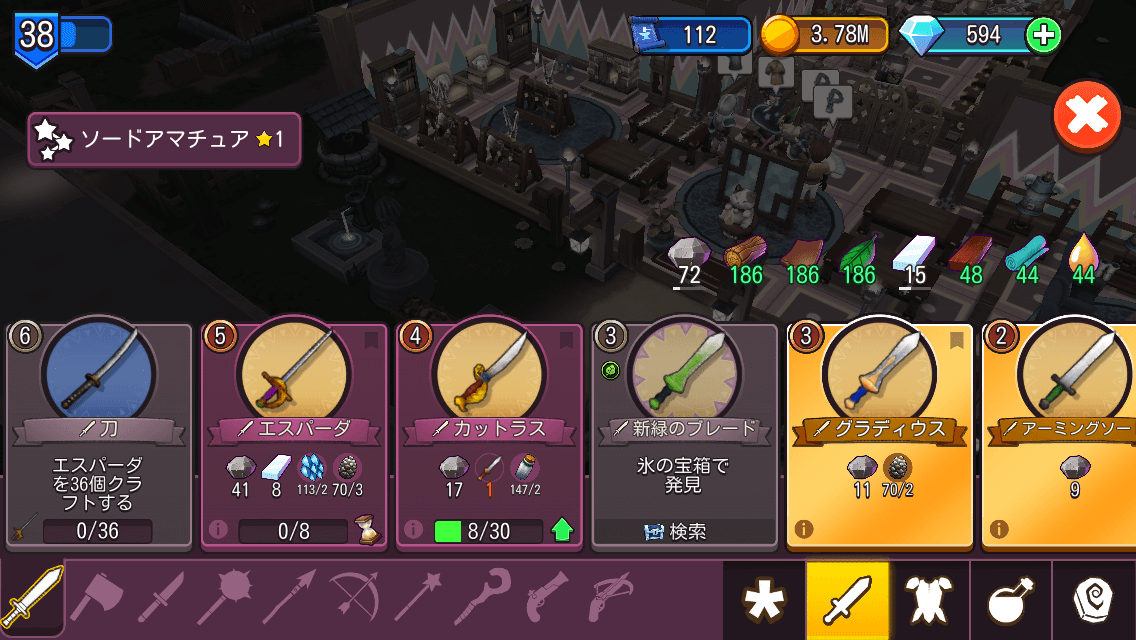 When you start the game, you can only make very simple and inexpensive items. Materials for crafting are naturally sourced over time by placing "containers" as "furniture," such as "iron bins" and "wood bins." As you progress in the game, you'll meet new town artisans, increasing the types of containers and recipes you can craft.
First, aim to craft items to acquire new recipes.
Gradually, you'll be able to create items that sell for higher prices. Recipes can also be obtained from quest treasure chests.
Additionally, repeatedly crafting the same item strengthens its recipe, adding extra value such as "reduced time" or "sells for more."
When you start the game, you can only make very simple and inexpensive items. Materials for crafting are naturally sourced over time by placing "containers" as "furniture," such as "iron bins" and "wood bins." As you progress in the game, you'll meet new town artisans, increasing the types of containers and recipes you can craft.
First, aim to craft items to acquire new recipes.
Gradually, you'll be able to create items that sell for higher prices. Recipes can also be obtained from quest treasure chests.
Additionally, repeatedly crafting the same item strengthens its recipe, adding extra value such as "reduced time" or "sells for more."
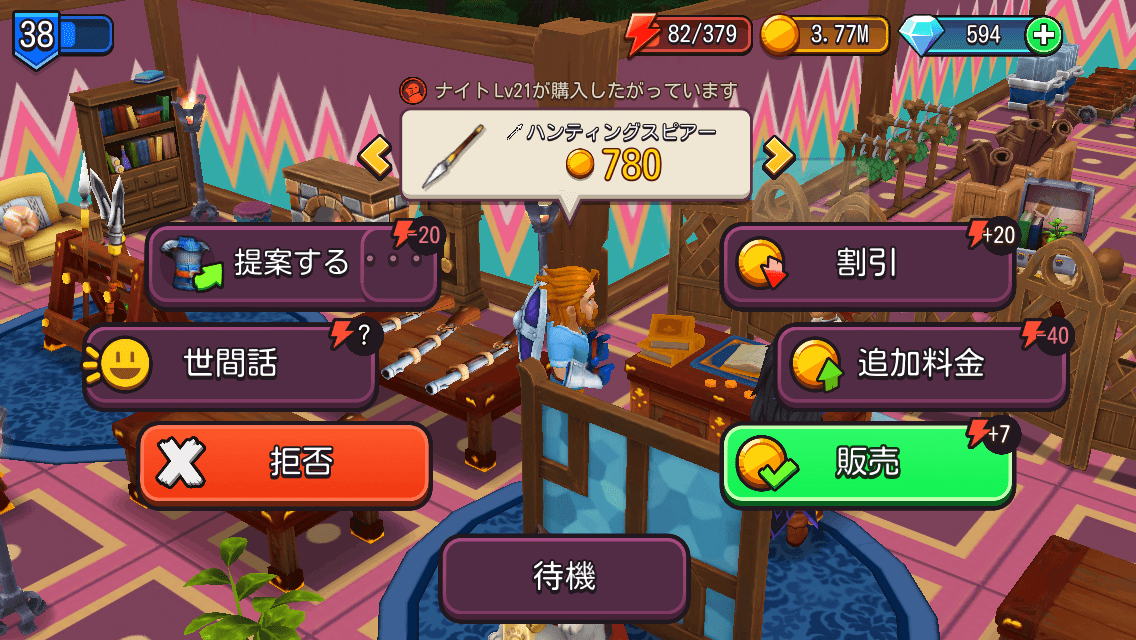 Adventurers, your customers, gather at the counter. When selling, you have several commands to choose from.
Basically, you'll add surcharges to expensive items and offer discounts on cheaper ones.
The surcharge is important here, but it consumes energy.
You can accumulate energy in the following ways. Small talk can either succeed or fail.
Adventurers, your customers, gather at the counter. When selling, you have several commands to choose from.
Basically, you'll add surcharges to expensive items and offer discounts on cheaper ones.
The surcharge is important here, but it consumes energy.
You can accumulate energy in the following ways. Small talk can either succeed or fail.
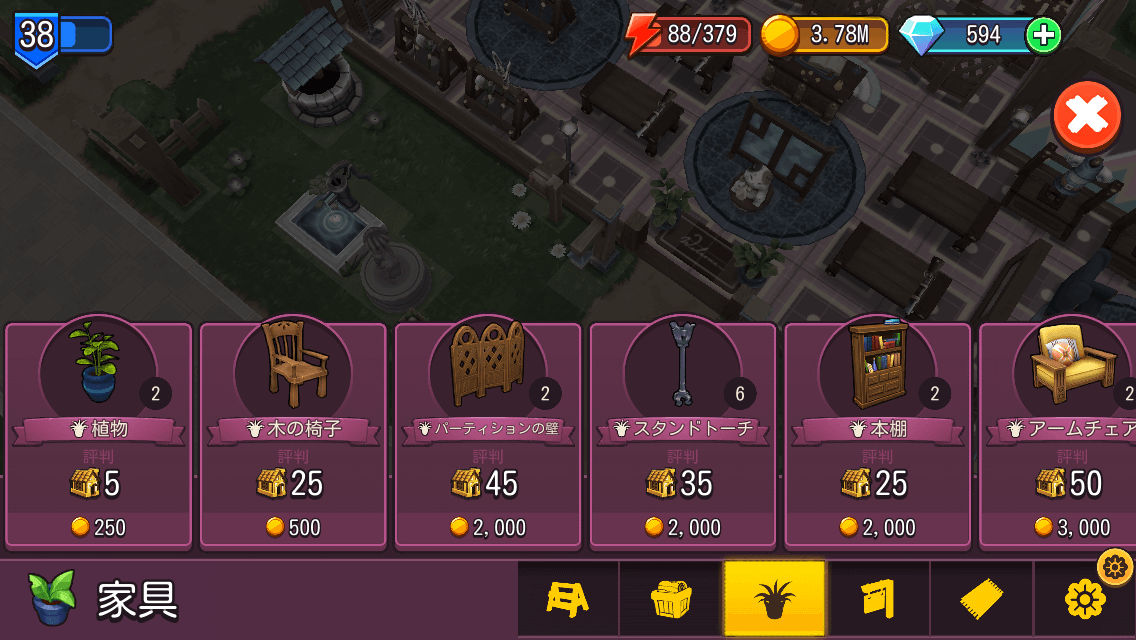 Upgrading your counter increases the energy gained when selling.
It also encourages adventurers to sell more expensive items to you.
The furniture with the rack icon on the far right can be upgraded.
Upgrading furniture also increases your maximum energy.
The number of items that can be displayed for customers also increases.
The container furniture, second from the right, can also be upgraded.
This allows you to store more crafting materials.
Other interior furniture will occasionally attract adventurers' interest, adding energy.
"Reputation" does not affect gameplay; there is only a "Reputation" ranking.
Nevertheless, you'll want to customize your interior to your liking!
Upgrading your counter increases the energy gained when selling.
It also encourages adventurers to sell more expensive items to you.
The furniture with the rack icon on the far right can be upgraded.
Upgrading furniture also increases your maximum energy.
The number of items that can be displayed for customers also increases.
The container furniture, second from the right, can also be upgraded.
This allows you to store more crafting materials.
Other interior furniture will occasionally attract adventurers' interest, adding energy.
"Reputation" does not affect gameplay; there is only a "Reputation" ranking.
Nevertheless, you'll want to customize your interior to your liking!
Crafting (Making Items)
When you start the game, you can only make very simple and inexpensive items. Materials for crafting are naturally sourced over time by placing "containers" as "furniture," such as "iron bins" and "wood bins." As you progress in the game, you'll meet new town artisans, increasing the types of containers and recipes you can craft.
First, aim to craft items to acquire new recipes.
Gradually, you'll be able to create items that sell for higher prices. Recipes can also be obtained from quest treasure chests.
Additionally, repeatedly crafting the same item strengthens its recipe, adding extra value such as "reduced time" or "sells for more."
Selling Items (Products) - Energy Management
Adventurers, your customers, gather at the counter. When selling, you have several commands to choose from.
Basically, you'll add surcharges to expensive items and offer discounts on cheaper ones.
The surcharge is important here, but it consumes energy.
You can accumulate energy in the following ways. Small talk can either succeed or fail.
- Selling: Increases with counter level
- Small talk (can fail): (Max Energy - Current Energy) / 10
- Discount: Amount shown
- When adventurers show interest in furniture placed indoors
Furniture Placement and Upgrades
Upgrading your counter increases the energy gained when selling.
It also encourages adventurers to sell more expensive items to you.
The furniture with the rack icon on the far right can be upgraded.
Upgrading furniture also increases your maximum energy.
The number of items that can be displayed for customers also increases.
The container furniture, second from the right, can also be upgraded.
This allows you to store more crafting materials.
Other interior furniture will occasionally attract adventurers' interest, adding energy.
"Reputation" does not affect gameplay; there is only a "Reputation" ranking.
Nevertheless, you'll want to customize your interior to your liking!
Dispatching Heroes and Champions on Quests
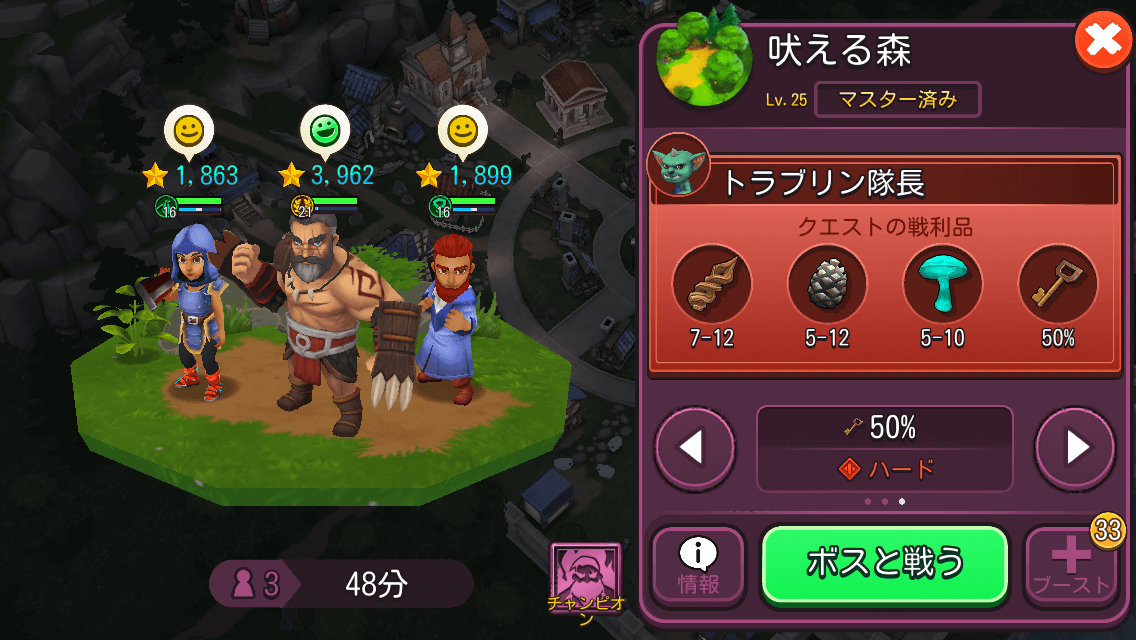 To dispatch on quests, you start with one Champion (Argon) and one Hero.
By going on quests, you can acquire special materials.
You can also obtain treasure chests, treasure chest keys, and equipment.
→Recommended Heroes here
You can equip your Heroes with items you've crafted! However, when they're out on adventures, there's a chance (indicated at the bottom of the equipped item) that the items will break.
As a gauge for quest success, a face appears above the character.
Green or yellow means OK; red means the character will be knocked out (they fall, but you don't lose the Hero or character).
Regularly send them on quests appropriate for their strength.
To dispatch on quests, you start with one Champion (Argon) and one Hero.
By going on quests, you can acquire special materials.
You can also obtain treasure chests, treasure chest keys, and equipment.
→Recommended Heroes here
You can equip your Heroes with items you've crafted! However, when they're out on adventures, there's a chance (indicated at the bottom of the equipped item) that the items will break.
As a gauge for quest success, a face appears above the character.
Green or yellow means OK; red means the character will be knocked out (they fall, but you don't lose the Hero or character).
Regularly send them on quests appropriate for their strength.
Join a Guild as Soon as Possible
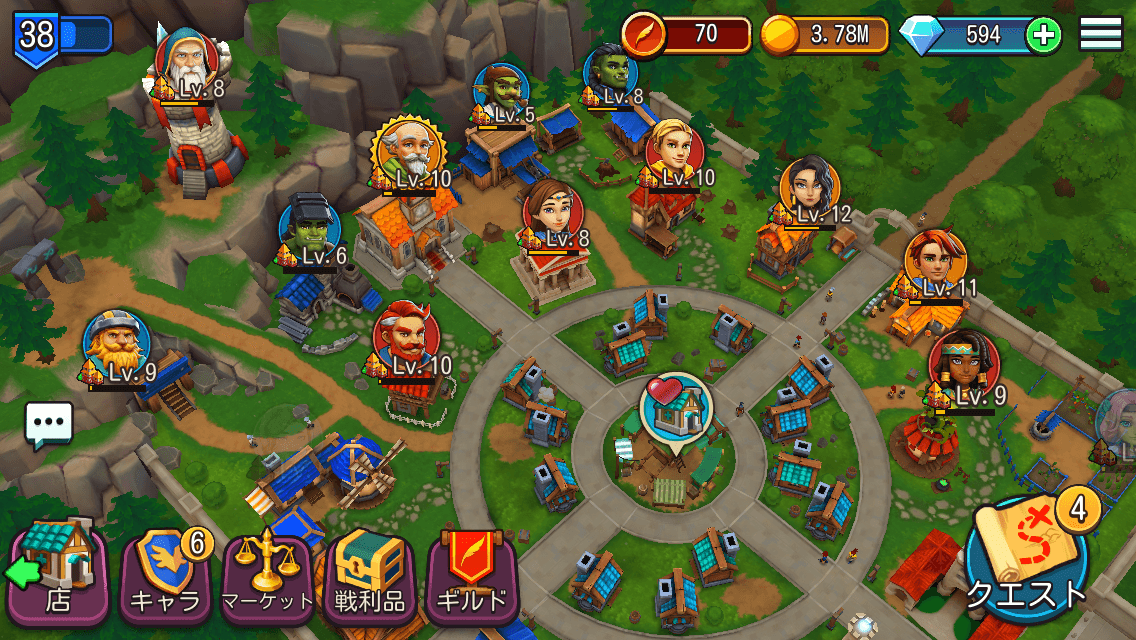 The power of guilds in this game is very significant.
There are many benefits to joining an active guild.
The power of guilds in this game is very significant.
There are many benefits to joining an active guild.
- You can share investments in town artisans! (Increases artisan max level, production speed up, etc.)
- Various boosts from guild perks
- Help from guild members (reduces furniture upgrade time)
- Earn additional items from Bounties and Lucky Bags
What to Use Diamonds For?
Even if you don't spend money, a certain number of diamonds will accumulate, but they are precious. If you don't plan to spend money on the game, you should save as many diamonds as possible.Things Worth Using Diamonds On
Things that have permanent effects and cost a large amount of gold. Recommended for mid-game and later, rather than early game.- Shop Expansion
- Craft Slot Expansion
What to Buy if You're Spending Money?
If you're making small purchases to enjoy the game more, the following are recommended:The Wise Scholar (Academy, Evelyn the Scholar) 2440 Yen
Enables crafting of Wand-type and Rune-type items. Runes are recommended for making money in the late game!The Crafty Engineer (Workshop, Roxanne the Engineer) 3680 Yen
Enables production of Guns and Crossbows. A subtle but welcome effect is that the chance of equipment breaking during quests is halved!Champion Offers
Champions other than Argon can be recruited by earning coins from quest treasure chests or item deliveries when they visit your shop. However, their initial coin requirements are high, so purchasing them with real money can make quests easier. While you can recruit them without spending money, I recommend doing so as they are very useful in early quests. Lillu seems to be the most cost-effective.RELATED


